
Smart Sleep Coach by Pampers™
P&G BABY CARE DIGITAL LLCParenting
4.2135.00 Reviews
- Version
- 1.6.9
- Installs
- 100.00K
- Age Rating
- Everyone
Screenshots

Our Review of Smart Sleep Coach by Pampers™
 Analysis by Appyee
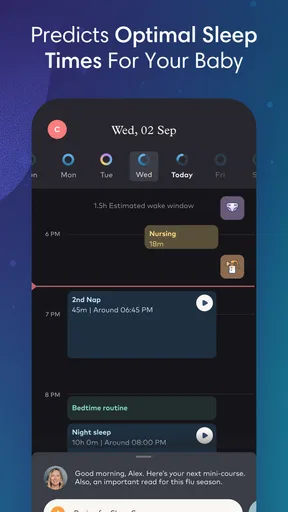
I’d consider Smart Sleep Coach by Pampers™ most useful when baby sleep feels like a moving target rather than one isolated problem. It’s a parenting app from P&G BABY CARE DIGITAL LLC, built around sleep guidance and tracking. The practical appeal is having a place to record what happened and turn those observations into a plan, instead of relying on tired guesses at the end of a long day.
That approach suits parents who want a little structure but still need to make choices that fit their household. A suggested routine can give you something concrete to try; it cannot account for every difficult night, family schedule, or change in a baby’s needs. I’d use the app as an organizer and source of guidance, not as a promise that sleep will become predictable on command.
What the current version offers
The app is free to download, with in-app purchases ranging from $29.99 to $119.99 per item. That makes it easy to explore the basic experience before deciding whether any paid option is worth considering. I’d first see whether the sleep plan, tracking, and information fit the way you actually care for your baby; paying for more guidance only makes sense if it addresses a need you have.
It has a 4.3 average from around 1,400 ratings, and more than 100,000 installs. Those figures suggest that plenty of parents have tried it, but they can’t tell you whether its approach will match your child or your preferences. Reviews can help reveal common reactions, while your own experience with the workflow is a better test of whether you’ll keep using it.
The app is rated for Everyone and is currently at version 1.6.8. It was released on January 10, 2024, and requires Android 9 or later. Those details are useful when checking whether it can run on a device you already use, particularly if you plan to keep it close at hand for quick logging during a busy bedtime.
The version number and release date give a snapshot of the product’s timeline, not a complete record of what changed between releases. I wouldn’t infer a particular new feature or improvement from them alone. For existing users, the sensible expectation is that the current app is the version to evaluate now, while future changes should be judged by what they actually add to the routine rather than by a version number.
Turning tracking into a useful routine
My main practical tip is to keep entries consistent enough to be useful, but not so detailed that tracking becomes another source of stress. A quick note about a nap or night sleep is more sustainable than trying to reconstruct every detail while holding a fussy baby. If another caregiver shares bedtime duties, agreeing on a simple way to log events can also make the record easier to interpret.
For example, imagine a day when a nap runs later than usual and bedtime becomes unsettled. Rather than treating that evening as proof that the whole plan has failed, you can use the record to see how the day differed from your usual pattern. The point isn’t to blame one late nap or chase a perfect schedule; it’s to spot repeatable context that may help you decide what to try next.
This is where the tracker can be more useful than a paper note or a general-purpose notes app: sleep information and the app’s guidance live in the same place. A spreadsheet or notebook may be better if you want complete control over categories, sharing, or long-term records, but it won’t automatically serve the same coaching role. Conversely, parents who only need a simple alarm or a place to jot down sleep times may find a dedicated sleep coach more involved than necessary.
Who may benefit—and who may not
I’d especially consider it if you’re caring for a newborn or baby, are unsure how to organize sleep observations, and want advice presented in a more guided format than a stack of articles. It may also help when two caregivers are trying to build a shared picture of naps and nights. A common record can make conversations more specific than “sleep was rough,” even if both adults still need to decide together what changes are realistic.
On the other hand, the app may be a poor fit if you dislike logging, prefer to follow your own routine without personalized prompts, or want a guaranteed fix. Tracking only helps when the information is recorded often enough to be meaningful, and a plan can feel like pressure if your baby’s sleep varies from day to day. If logging starts taking attention away from rest or caregiving, it’s reasonable to simplify or stop.
Where guidance has limits
Personalization can make advice feel more relevant, but it doesn’t make an app a substitute for your own judgment or professional help when you have a health concern. Sleep difficulties can have different causes, and an app’s routine suggestions may not answer questions that need individual medical advice. I’d treat its articles as general support and seek an appropriate professional when a concern goes beyond everyday schedule troubleshooting.
Another trade-off is that a suggested schedule can look more precise than real family life allows. Babies change, days get interrupted, and a plan that felt workable last week may need adjustment. I’d focus on whether the guidance helps you make a calmer, informed next decision—not whether you can follow every step exactly.
Getting Started with the Smart Sleep Coach
First things first, downloading the Smart Sleep Coach by Pampers™ is a breeze. It's available on both Android and iOS, and it's free to download, though there are some in-app purchases if you're looking to unlock more features. Once you've got it on your device, setting up is straightforward. The app walks you through a series of questions about your baby's current sleep habits, age, and any specific challenges you're facing. This personalization is key, as it tailors the advice to your unique situation.
Features That Stand Out
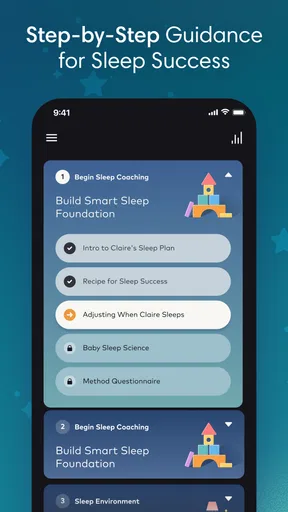
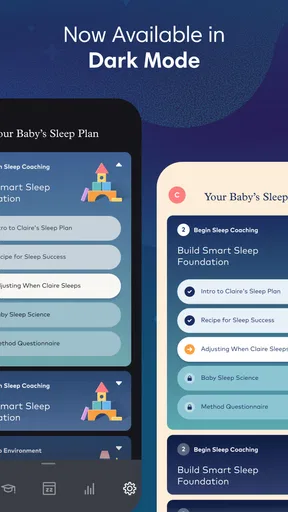
The app is packed with features, but a few really stood out to me. Firstly, the personalized sleep plan is a lifesaver. Based on your input, the app creates a custom sleep schedule and provides step-by-step guidance on how to implement it. It's like having a sleep coach in your pocket!
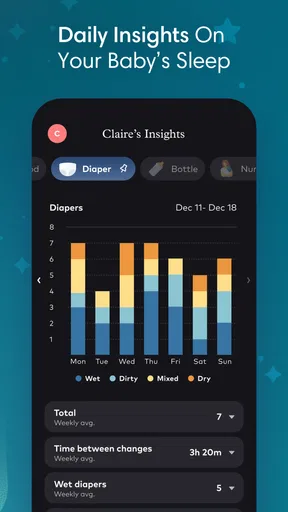
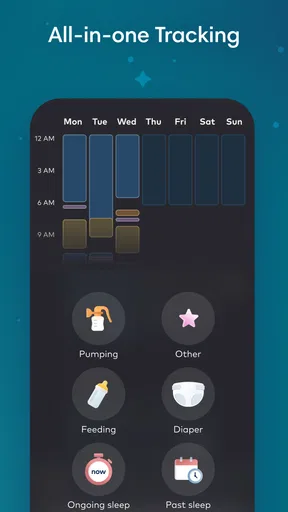
Another feature I loved is the sleep tracking functionality. You can log your baby's naps and nighttime sleep, and the app uses this data to adjust the sleep plan as needed. It's surprisingly accurate and gives you a clear picture of your baby's sleep patterns over time.
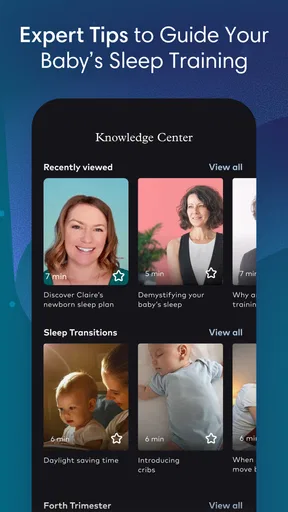
Then there's the library of sleep tips and articles. Whether you're dealing with teething troubles or just trying to establish a bedtime routine, there's a wealth of information at your fingertips. I found myself diving into these articles more than once, and they were a great source of reassurance and advice.
User Experience
Navigating the app is a breeze, thanks to its intuitive design. Everything is laid out clearly, and the user interface is both attractive and functional. The app's colors are soothing, which somehow makes the whole experience feel more calming—exactly what you need when you're trying to sort out sleep issues!
I also appreciated the community support feature. You can connect with other parents using the app, share experiences, and get advice. It's comforting to know you're not alone in the midnight wake-up club.
Using community and advice thoughtfully
Peer support can ease the feeling that you’re the only parent having a difficult night, but I’d keep a clear boundary between shared experience and individualized advice. Another family’s routine may offer an idea to discuss or consider; it doesn’t establish what will suit your baby. I find community most useful for reassurance and practical perspective, not as a contest over whose child sleeps longest or whose method is universally right.
The articles can also work better as targeted reading than as a late-night rabbit hole. When a specific issue comes up, look for guidance related to that situation, then choose one manageable change to test rather than trying several tips at once. That makes it easier to notice whether a change seems helpful, and it avoids turning every bedtime into a new experiment.
What to expect as the app evolves
Because this is a relatively recent product, its current version is a more reliable basis for deciding than assumptions about what it might add later. I’d watch for changes that make tracking easier to maintain, clarify why a recommendation fits a baby’s recorded pattern, or help caregivers coordinate without extra effort. Those would be meaningful improvements because they address the daily friction that can determine whether a sleep tool becomes a habit.
For now, I’d judge the app by whether its present combination of a guided plan, sleep records, articles, and parent community gives you a routine you can actually sustain. If you already have a method that works and don’t want coaching, there may be little reason to switch. If your current approach is scattered across memory, notes, and searches, bringing those tasks together may be worthwhile—provided the app feels supportive rather than demanding.
Is It Worth It?
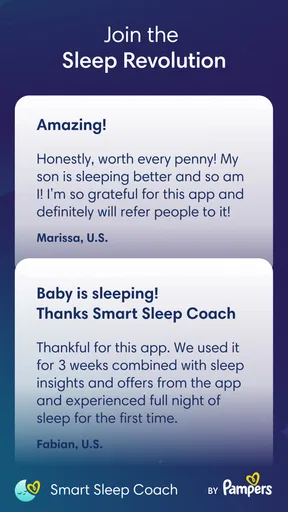
So, is the Smart Sleep Coach by Pampers™ worth the download? In my opinion, absolutely. While it's not a magic wand that will instantly solve all your baby's sleep problems, it offers practical, personalized advice that can make a real difference. The app's ability to adapt to your baby’s changing needs is a huge plus, and the supportive community is a nice bonus.
Of course, every baby is different, and what works for one may not work for another. But with a little patience and consistency, the Smart Sleep Coach can definitely help guide you toward better sleep habits for your little one—and maybe a few extra winks for you too!
If you're struggling with sleep, give it a try. You might just find it's the tool you've been dreaming of!
Verdict
Strengths of Smart Sleep Coach by Pampers™
- User-friendly interface for easy navigation.
- Personalized sleep coaching tailored to your baby.
- Tracks sleep patterns accurately over time.
- Provides helpful tips and advice for parents.
- Integrates smoothly with other Pampers products.
Limitations of Smart Sleep Coach by Pampers™
- Limited features available in free version.
- May require frequent updates for accuracy.
- Some users report occasional app crashes.
- Initial setup can be time-consuming.
- Subscription cost may be high for some.
Similar Picks in This Category
View All
Family Space
Motorola Mobility LLC.3.9

شرطة الأطفال - مكالمة وهمية
Oub Apps4.1

Findmykids: Parental Control
LETEM LTD4.6

Pregnancy + | Tracker App
Philips Electronics UK Limited4.8

Policía de niños - para padres
Kids police4.7

Pregnancy App
Amila4.9
Frequently Asked Questions
What is Smart Sleep Coach by Pampers™ and how does it work?
Smart Sleep Coach by Pampers™ is a sleep training app designed to help parents establish healthy sleep routines for their babies. It offers personalized sleep coaching plans based on your child's age, sleep patterns, and developmental milestones. The app uses data input by parents to provide customized guidance and track progress.
Is Smart Sleep Coach by Pampers™ compatible with all devices?
Smart Sleep Coach by Pampers™ is available on both Android and iOS platforms. It requires a device running Android 7.0 or later, or iOS 11.0 or later. Ensure your device meets these requirements for optimal performance and features access.
Does Smart Sleep Coach by Pampers™ offer a free trial?
Yes, Smart Sleep Coach by Pampers™ offers a free trial period, allowing parents to explore the app's features before committing to a subscription. After the trial, a subscription is required to continue accessing personalized plans and advanced tools.
How secure is my data with Smart Sleep Coach by Pampers™?
Smart Sleep Coach by Pampers™ prioritizes user privacy and data security. The app complies with all relevant data protection regulations, ensuring that personal information is encrypted and stored securely. Users have control over their data and can manage privacy settings within the app.
What kind of support is available if I encounter issues with the app?
If you encounter any issues while using Smart Sleep Coach by Pampers™, the app offers customer support through various channels. You can contact support via email, in-app chat, or explore the FAQ section for troubleshooting tips and detailed guides to resolve common issues.
